Find the name on the item, not in a guess list
Meow Madness officially advertises cosmetics for styling your cat. It does not publish an official public list of hat names in the game description. If you are trying to identify a hat from a screenshot or another player’s cat, open the current appearance interface and read the name attached to the item you can actually preview. That is a better answer than a copied list whose names may belong to an older build or a different cat game.
Start with the official Roblox game, then inspect the cosmetic options available to your account. If an item is locked, check its current acquisition text before trying to search for a price or box. The developer says the experience is in early development and announces regular updates, so a fixed catalog can go stale quickly.
Match an item to what you see
When an item has a similar color to several others, compare more than color. Look at its shape, where it sits on the cat, and whether the preview changes when you equip another cosmetic. A name in a video title or comment is only a lead until it matches the live item card.
| Your question | Where to check | What not to assume |
|---|---|---|
| What is this hat called? | Current cosmetic item name and preview | A fan nickname is the official name. |
| Do I own it? | Equipped or owned state in the live interface | Seeing it on another player unlocks it. |
| How do I get it? | Current acquisition text, if offered | Every cosmetic comes from the same box. |
| Does it make me faster? | Item description and any stated effect | Appearance changes are upgrades. |
These checks also prevent a common spending mistake. The game description separates cosmetics from cat upgrades. Unless the live item card explicitly says it changes play, treat a hat as a look you choose, not a tool that helps a Runner escape or a Tagger catch someone.
Build a look without losing your play setup
Before changing several items, note which cat and ability you have selected. Then try one cosmetic at a time and check the preview. If the game allows more than one appearance slot, watch which slot changes when you equip an item. Do not assume that a video from another build shows the same slots or purchase flow.
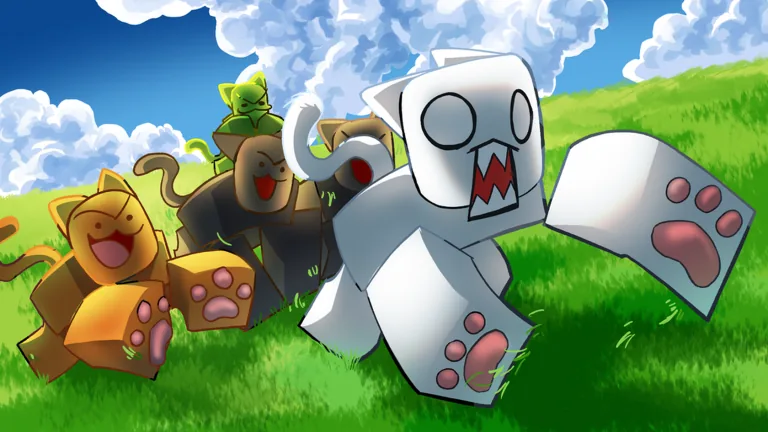
If you want to coordinate a look with friends, agree on a visible color or style and compare the current previews. The official thumbnails show bright, differently colored cartoon cats, but they cannot identify the name of an equipable hat. The live catalog is the only reasonable way to connect a specific item name with your account’s actual options.
When a cosmetic is offered through a box or another purchase, read the current contents and cost first. A box purchase is a separate decision from identifying a hat, so the clothing-box guide covers that choice in more detail.
What to do if a named item is missing
Check that you are on the correct Roblox experience, with root Place ID 85659091508300. Similar names on stores or videos can refer to unrelated products. Next, check whether the item is part of the current catalog and whether your account has unlocked it. If a name was taken from an old clip, it may not match today’s interface.
Do not spend resources to chase an item whose name or source you cannot verify. Save the screenshot or description you are matching, then compare it with the live preview before committing.
FAQ
Is there an official list of Meow Madness hats?
The public Roblox game description confirms cosmetics but does not provide a full hat catalog. Read the current item names in the game.
Do hats change gameplay?
The official description lists cosmetics separately from upgrades. Only the live item text can confirm whether a particular item has another effect.
Why can I not find a hat from a video?
The name may be unofficial, the item may be locked, or the video may show an older build. Compare its appearance and acquisition text in the current game.
Should I buy a box to get one hat?
Check the current box contents and price first. Do not assume a particular hat is included without a live listing.